

When you buy a VPS hosting plan, one of the first things you’ll need to do is install a control panel. Control panels simplify the management of your server since you don’t have to enter commands for everything. Two of the most popular control panels available for VPS hosting are cPanel and Plesk. Both have easy-to-use interfaces, so it’s simple to manage domains, emails, databases, and security features.
In this blog post, we will describe how to install cPanel or Plesk in your VPS hosting. This will make it simple to manage your server.
Why would you require a control panel on a VPS?
A VPS lets you have complete control of your server, but it is difficult for beginners to manage it themselves and for professionals it takes a lot of time. Therefore, control panels are of great use:
- Easier domain management – Add or edit sites in few clicks.
- Database management – You don’t have to enter SQL commands; you can use graphical tools.
- Email management – Easily create and manage your own emails.
- Security features – such as backups, firewalls, and SSL are easier to maintain.
- Simple to use interface – You don’t need to be a Windows or Linux expert.
How to Install cPanel on VPS Hosting
cPanel is a very popular control panel, especially for VPS hosting that uses Linux.
Requirements for cPanel Installation
- A fresh VPS server (CentOS, CloudLinux, or AlmaLinux is suggested).
- At least 2 GBs of RAM and 20 GBs of disk space.
- Root access (SSH access).
- A genuine cPanel license.
Steps to Install cPanel
- Login to your VPS
Open your terminal and access your VPS via SSH:ssh root@your-server-ip - Update Your Server
Run the following command to make sure your server is up to date:yum update -y - Install cPanel
Download the cPanel installation script and execute it:cd /homecurl -o latest -L https://securedownloads.cpanel.net/latestsh latest
The installation will take 20–40 minutes based on your server speed. - Access cPanel/WHM
Once you’ve completed the installation, you can access WHM (Web Host Manager) via a web browser:https://your-server-ip:2087
Log in with your root username and password. - Activate License
Enter your cPanel license key to activate it and start using cPanel.

How to Install Plesk on VPS Hosting
Plesk is an excellent control panel with support for Linux as well as Windows VPS hosting. It is simple, new, and extremely adaptable.
Requirements for Plesk Installation
- VPS with minimum 2 GB RAM and 20 GB disk space.
- Supported operating systems: Windows Server.
- Root access or Administrator access (Windows).
- An authentic Plesk license.
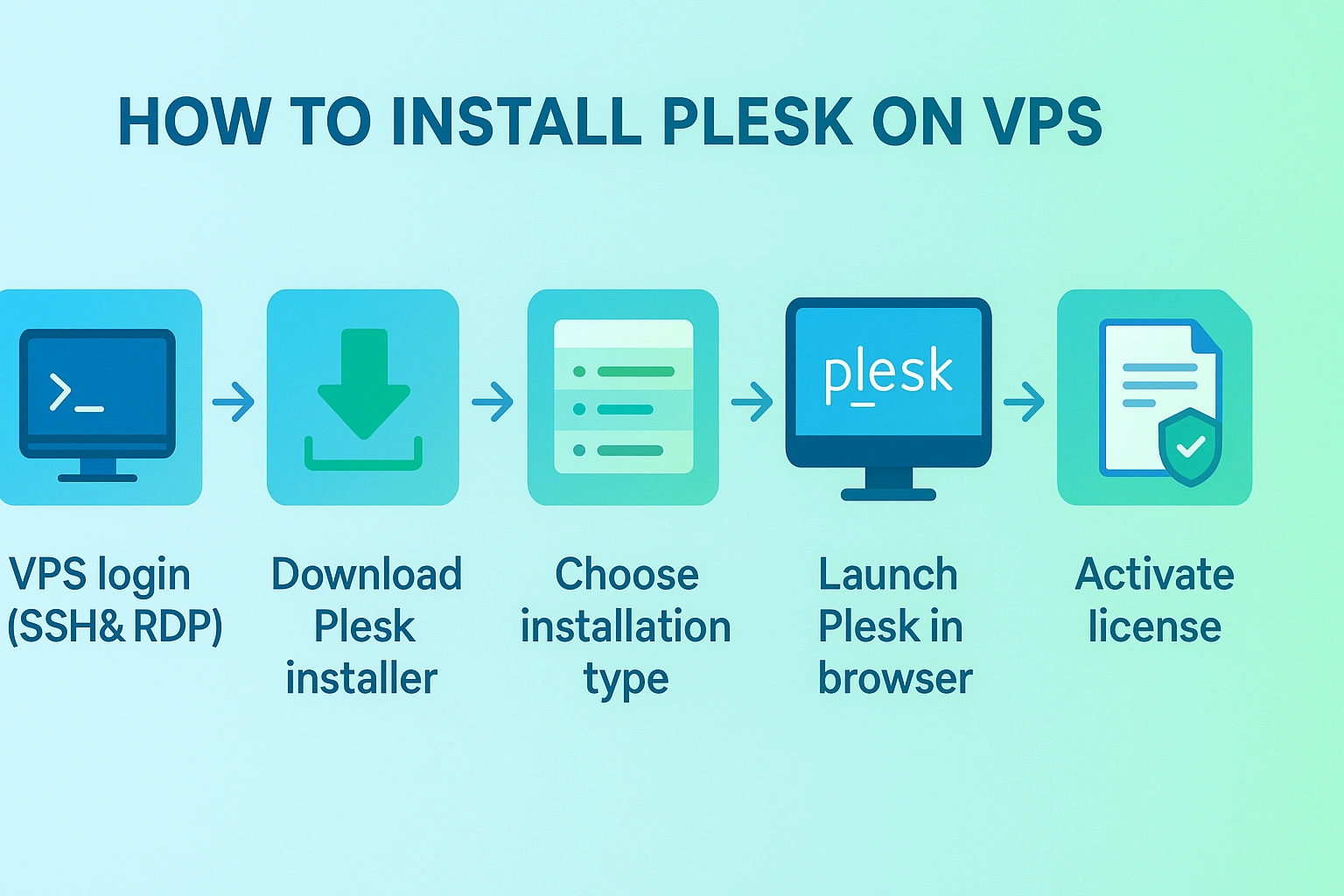
Steps to Install Plesk
- Login to Your VPS
For Linux, use SSH:ssh root@your-server-ipFor Windows, connect via Remote Desktop (RDP). - Download the Plesk Installer
On Linux, run:wget https://autoinstall.plesk.com/plesk-installerchmod +x plesk-installer./plesk-installerOn Windows, you can download the installer from the website of Plesk and install it directly. - Select Installation Type
When you install, you will have to choose:- Recommended – Has the most common features.
- Full – Installs all (takes more space).
- Custom – Choose what you require.
- Open Plesk
When you complete the installation, launch Plesk from your browser:https://your-server-ip:8443
Login with your credentials. - Activate License
Enter your Plesk license key to activate.
cPanel and Plesk – Which One Should You Choose?
cPanel is Best if you are Well-known with Linux servers and prefer a User-friendly Control panel. It is highly popular with hosting businesses.
Plesk is the best option if you like Windows support or if you like a cleaner and modern Control panel. It is also perfect for WordPress website management with the integrated WordPress Toolkit.
In short:
- Select cPanel for Linux-exclusive hosting.
- Select Plesk if you prefer Windows flexibility.
Final Thoughts
Including a control panel like cPanel or Plesk makes it easier to manage VPS hosting. You don’t have to be a server expert — with a few clicks of the mouse, you can set up domains, handle emails, and secure websites.
If you prefer a VPS hosting provider that provides both cPanel and Plesk, then Hosting Home is the perfect choice.
Why choose Hosting Home for VPS Hosting?
At Hosting Home, we simplify VPS hosting into a quick and Reliable experience.
Here’s what you’ll get with every plan:
- Free SSL Certificates
- Free backups every week.
- Free DDoS Protection
- Free Migration Support.
- Free WhatsApp Support Exclusive for You
- 99.99% Uptime Guarantee
If you require cPanel managed VPS or Windows VPS with Plesk, Hosting Home is ready to assist you.
Begin your VPS hosting experience today with Hosting Home. You will be able to enjoy complete control, flexibility, and unlimited free features enhancing your hosting experience.