
Thanks to the modern Python hosting platforms that support quick deployment, smooth performance, and easy setup, Create a Website Using Python Hosting been easier. If you are building a personal website, a business portal, or even a full-fledged web application, the correct choice of hosting platform plays the major role in how well your website preforms online.
Most of the developers and business people in India look for affordable and secure python hosting options in India since Python websites needs special server support. With so many choices that are available—from cheap python hosting to advance cloud setup—it is important to know how to start this process smoothly.
With this step-by-step guide, you will be able to create and host your website on Python hosting.
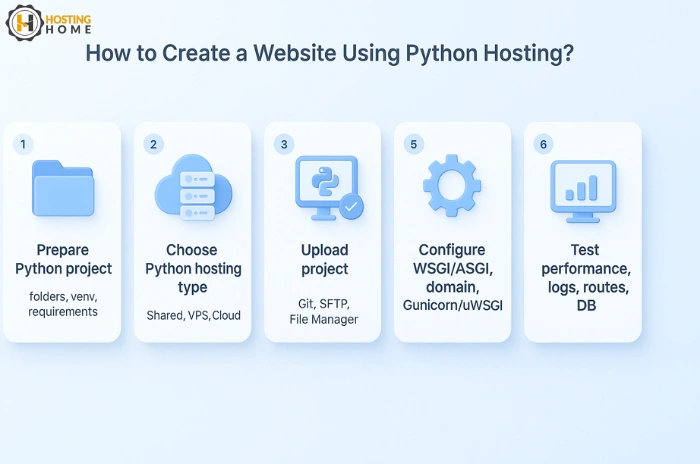
Step 1: Prepare Your Python Website Project
Before you choose any hosting plan, make sure your Python website is ready for deployment. Most developers use frameworks like FastAPI, Bottle, Pyramid, or even lightweight custom scripts.
Your project should have:
- Project files
- Virtual environment
- Requirements file
- Static and media folders
- Setup for the selected python hosting server
Setting up like this will keep everything clean and easy to run on any hosting server
Step 2: Choosing the Right Type of Python Hosting
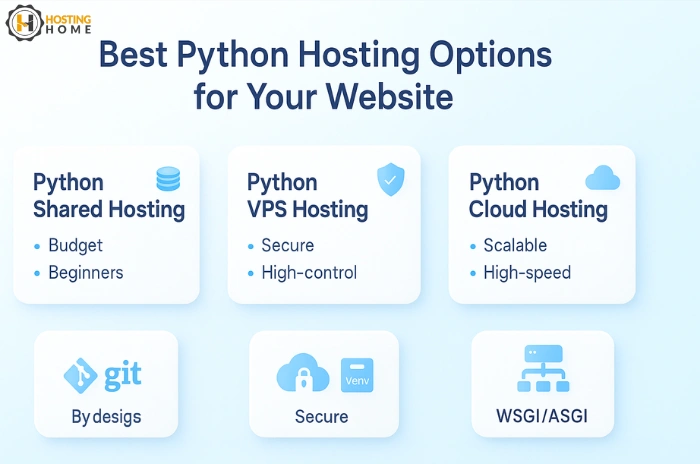
Not all hosting plans support Python. You need a service that allows you to run Python scripts, manage WSGI applications, and install toolkits. some hosting plans are:
Python Shared Hosting
Best for small websites or new users: It provides an affordable starting point and supports basic Python websites.
Python Web Hosting on VPS
More secure for big or traffic-heavy projects; with a Python VPS, you get better control and security.
Python Hosting Services on Cloud
Best for modern applications that need scalability, enhanced security, and high speed.
If looking for an affordable solution, most developers start with cheap python hosting and upgrade as the traffic grows.
Step 3: Check Support for Your Python Version & Framework
Every web hosting provider has different integration levels.
Make sure the plan supports:
- Your Python version
- Your framework structure
- WSGI or ASGI environments
- Required modules and plans
Choosing the best python hosting most cases means choosing a service that allows installing custom libraries and creating virtual environments.
Step 4: Upload Your Project to the Server
Most servers, supported with Python, offer several ways of uploading data:
- File Manager
- Deployment with Git
- SFTP
- Direct terminal access
When uploading your project to a python hosting server, the structure of the files should be as it is in your development environment.
Once uploaded, you can activate your server and install dependencies from your requirements file.
Step 5: Configure the Application
This is where most developers have issues. Proper setup should be done for a Python website to run smoothly.
Typical task like:
- Mapping domain and subdomains
- Setting up Gunicorn or uWSGI
- Applying WSGI or ASGI settings
- Mapping static files
- Connecting your database
The best python hosting service normally allows users easy control panel access, making it easy to setup everything without any worries.
Step 6: Test Your Application Online
Test the application on the hosting server to makes sure everything is working perfectly before going fully live.
Check:
- Loading speed
- Database connections
- Page routing
- Static file delivery
- Error logs
A provider providing best python web hosting will give log access and full debugging tools to quickly fix issues.
Step 7: Go Live and check Performance
Once tested, connect your domain and make the website live.
Modern hosting platforms have tracking tools that help in checking:
- resource usage
- Traffic
- errors
- security alerts
If you are on cloud or VPS-based Python hosting, you have more setup options to make your website run both faster and safer.
What About Free Options?
Some new users look for free python hosting or even free python server hosting in order to test.
Free Python server hosting can be helpful in learning or testing small applications, but has no place for business websites because of:
- Limited resources
- no uptime guarantee
- weak security
- lack of support
Always use secure, paid hosting for professional projects.
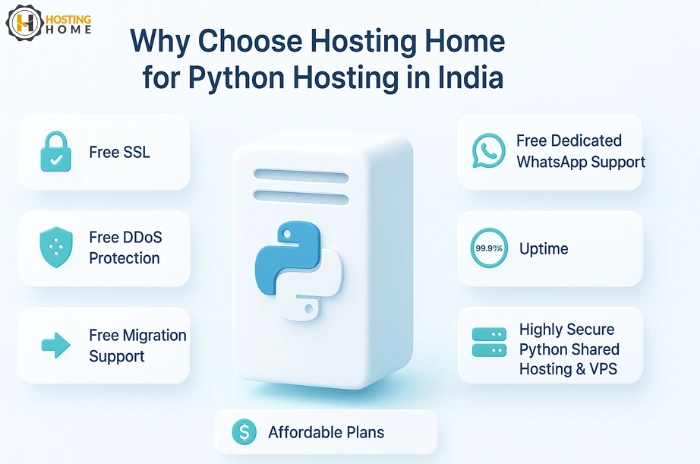
Why Choose Hosting Home for Python Hosting in India?
If you are looking for high speed, easy setup, and a developer-friendly features, then Hosting Home gives one of the most secure Python hosting services in India.
What You Get at Hosting Home:
- Free SSL certificate
- Free weekly backups
- Free DDoS protection
- Free priority migration
- NVMe SSD storage
- 99.99% uptime
- cPanel and terminal access
- Full support for Python applications
- Affordable plans
- Highly secure python shared hosting and VPS options
From small websites to large web applications, Python projects deploy smoothly with Hosting Home. If you are looking to get started quickly and want a hosting company that understands Python, Hosting Home has everything that your project needs.