
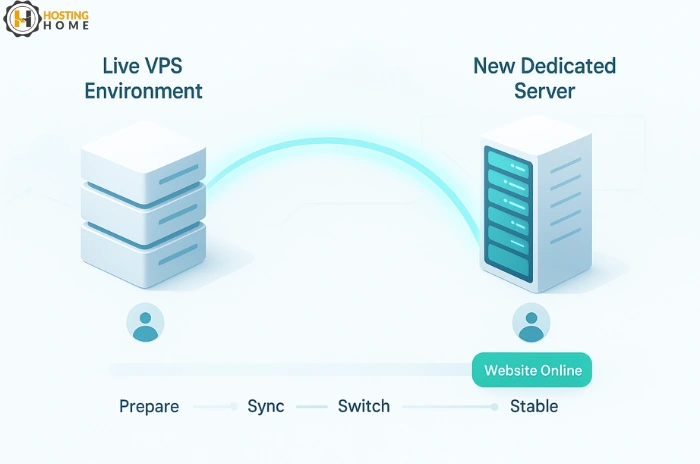
When your online project starts growing fast, in this case, a VPS server may not provide the required power and security. Heavy traffic, complex applications, or a higher level of security demand-all these aspects suggest taking a business to a stronger environment, a dedicated server.
But the biggest question is:
“Is it possible to migrate from VPS to a Dedicated Server plan without taking down my live website?
Yes, you can. And in this blog, you will learn a new, simple, and modern method of migrating with zero downtime.
A New Way of Looking at Migration
Most guides talk about copying files and updating DNS. But smooth migration actually depends on three things:
- Preparation
- Parallel Execution
- Smart Switchover
If these three elements are handled correctly, then upgrading from a cheap VPS server or even a best VPS server to a powerful dedicated server India becomes easy.
1. Prepare the Ground: Plan Before You Move
Make sure you choose the right hosting environment before touching your files. Choose the Right Dedicated Server Plan
Check:
- CPU, RAM, and storage
- Bandwidth
- Panel requirements
- Operating system
- Future scalability
This helps you avoid last-minute changes after you purchase dedicated server plans.
✔ Compare Pricing & Features
A smart buyer always compares the vps server price or vps server price in India, and the dedicated server price.
Trusted companies provides high speed, even in their cheap dedicated server plans.
2. Setup a Twin Environment (The Smart Way)
Create a twin setup on your new server instead of stopping your VPS and moving everything at once.
This includes:
✔ Matching Software
Make sure your new dedicated server has the same software versions:
- PHP
- Database engine
- OS version
- Firewall rules
✔ Pre-installing Applications
Install apps, plugins, Python modules, Node.js libraries, PHP extensions, etc.
✔ Bring Your Panel Live
Install cPanel, DirectAdmin, or Plesk, whichever comes with your plan.
Running a mirror environment helps one avoid the usual migration errors that leads to downtime.
3. Sync Without Interrupting Your Users
This is the most important part.
Instead of moving your website once, sync it in two stages:
Stage 1 — Silent Copy
Copy all your files and databases from the VPS server hosting account onto the new dedicated server without switching live traffic.
Tools to use:
- rsync
- SSH copy
- SFTP
- Hosting migration tools
The website remains running as usual during this process.
Stage 2 — Delta Sync
Before launching the new server, sync only the changed files — “delta files.”
This makes sure that both servers have the same data.
4. Test Everything from a Private Link
A zero-downtime migration is impossible without testing.
Use the server’s temporary IP or preview link to check:
- Loading speed
- Database connections
- Login systems
- Shopping carts
- APIs
- Admin panel
- Background tasks
If anything in a function breaks, fix it before switching traffic.
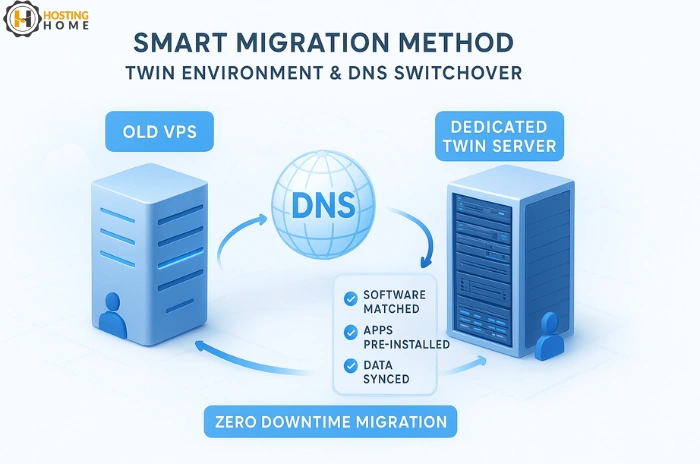
5. Smart DNS Routing for Traffic Switching
This is where smart hosting helps.
Once you update your DNS to point to your dedicated server hosting, traffic will start shifting. Your VPS will still receive visitors until propagation completes.
This avoids downtime and makes sure full availability.
6. Keep Your VPS running for 48 hours
The reason being, many people shut the VPS right away and face downtime. Avoid this mistake.
Even after the shift, keep the old server active for at least 48 hours. This ensures:
- All visitors reach the correct server
- No email is lost.
- No session breaks
- No DNS lag issues
You can safely close your VPS once it is stable.
7. Monitor the New Dedicated Server Closely
After the migration, check:
- CPU usage
- Memory usage
- Database speed
- Error logs
- Traffic behaviour
Upgrading early will help you get the most out of your new setup.
Why Free Dedicated Server Solutions Are Not Safe
Most people, when upgrading, look for free alternatives for a dedicated server. However, free servers are unstable, underpowered, and unsafe for live projects.
Always go for a trusted provider when you buy dedicated server hosting for important work.
Why Hosting Home Is the Best Platform for Your Upgrade
Hosting Home is one of the best dedicated server hosting companies in India, providing high-speed VPS along with powerful dedicated servers.
Why thousands choose Hosting Home:
- Premium SSD-based dedicated servers
- SSL free
- Free DDoS protection
- Free weekly backups
- Free migration by experts
- Full root access
- Free Dedicated 24/7 WhatsApp support
- 99.99% uptime
- Instant Setup
- Affordable and transparent pricing
- Smooth upgrade from VPS to dedicated server
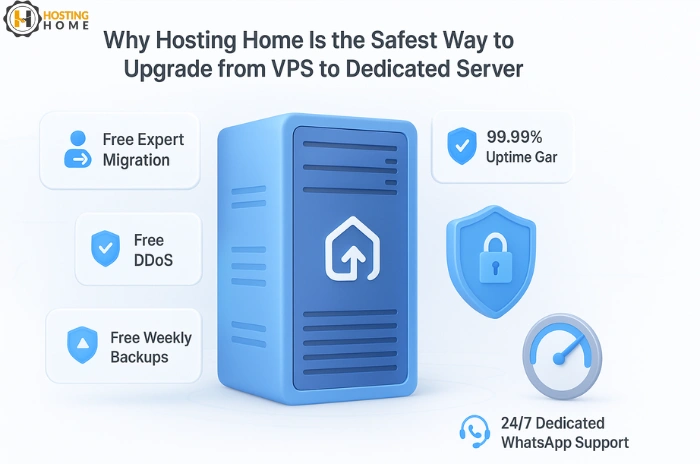
If you are looking to buy dedicated server or to purchase dedicated server, or upgrade from your vps server India, Hosting Home provides the safest and fastest way with zero downtime.