
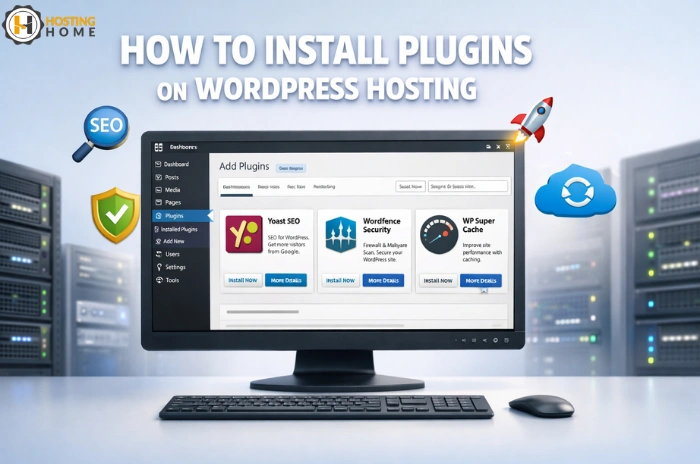
How to Install Plugins on WordPress Hosting?
Plugins are one of the main reasons why WordPress is so popular. They help you to add features such as contact forms, SEO tools, security, and speed optimization without coding.
If you are using WordPress hosting, then installing plugins is easy and can enhance your website quickly. Whether you run a blog or a business website, plugins are useful for customizing your site based on your needs.
In this blog, you will get to know how to install plugins in your WordPress website step by step.
Why Plugins are important for WordPress Websites
Plugins allows you to add new features without altering your website’s core system.
With plugins, you can:
- Improve website speed
- Add security protection
- Create contact forms
- Optimize SEO
- Manage backups
This is why many users opt to use WordPress website hosting to create flexible and scalable websites.
Access Your WordPress Dashboard
To install plugins, first log in to your WordPress Dashboard.
Steps:
- Open your website login page
- Provide your user name and password
- Go to the admin panel
This dashboard comes with all WordPress web hosting environments.
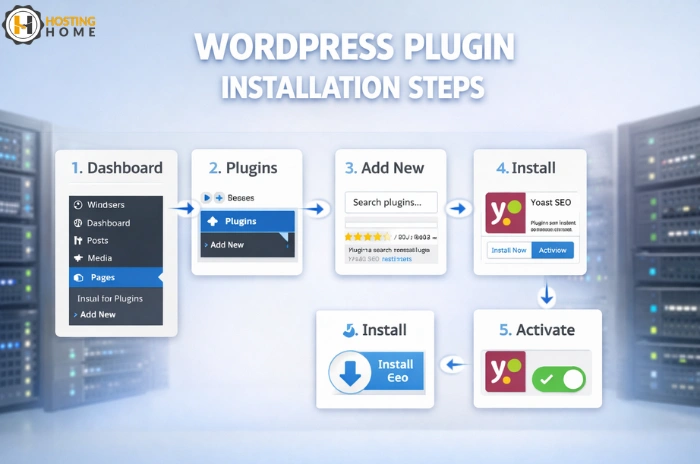
Install Plugins from WordPress Directory
The easiest way of installing plugins is from the WordPress plugin library.
Steps:
- Go to “Plugins” from the dashboard
- Click “Add New”
- Search for a plugin for what you need
- Click “Install Now”
- Click “Activate”
This method works on almost all WordPress hosting plans, including the beginner setups.
Upload Plugin Manually
Sometimes, the premium plugins may not available in the WordPress directory.
In that case you can upload the plugin manually.
Steps:
- Go to “Plugins” – “Add New”
- Click “Upload Plugin”
- Select the plugin file
- Install and activate
This method is widely used by users of best WordPress hosting services, when they want to have advanced features.
Check Compatibility of Plugins Before Installation
All plugins do not work with every website.
Before installing, check:
- Compatibility of WordPress Versions
- User ratings and reviews
- Last update date
This helps to avoid problems in your WordPress blog hosting setup.
Do not Install Too Many Plugins
Having too many plugins can slow down your website.
Even if you are using the fastest WordPress hosting, it can get affected by the unnecessary plugins.
Only keep those plugins that you really need and remove the unused plugins that you do not use.
Update Plugins Regularly
Outdated plugins can create a security risk.
Always update plugins to:
- Fix bugs
- Improve performance
- Add new features
This is important to the users of managed WordPress hosting, where security is top priority.
Test the Plugin After Installation
After installing a plugin, test your Website.
Check:
- Website loading speed
- Page layout
- Functionality
This is to ensure that the plugin works fine with your WordPress Hosting India server.
Common Types of Plugins You Should Use
Some helpful categories of plugins are:
- SEO plugins
- Security plugins
- Backup plugins
- Speed optimization plugins
These help in improving your website performance and user experience.
Users who look for the best web hosting for WordPress often choose for hosting which works well with these plugins.
Choosing the Right WordPress Hosting
Plugin performance also depends on your quality of hosting.
A reliable provider makes sure:
- Fast loading speed
- Server stability
- Plugin compatibility
When comparing options, businesses often search for best WordPress hosting in India with good support and performance.
Understanding WordPress hosting price and features helps you to choose the right plan.
Why Choose Hosting Home for WordPress Hosting
If you are planning to host your website, Hosting Home has reliable and high-speed WordPress web hosting servers.
- High-Speed WordPress hosting infrastructure
- Affordable WordPress hosting plans
- Flexible WordPress hosting plans for all users
- Optimized for WordPress web hosting performance
- Free SSL certificates
- Free weekly backups
- Free DDoS protection
- Free migration support
- 99.99% uptime guarantee
- Free 24/7 Dedicated WhatsApp support
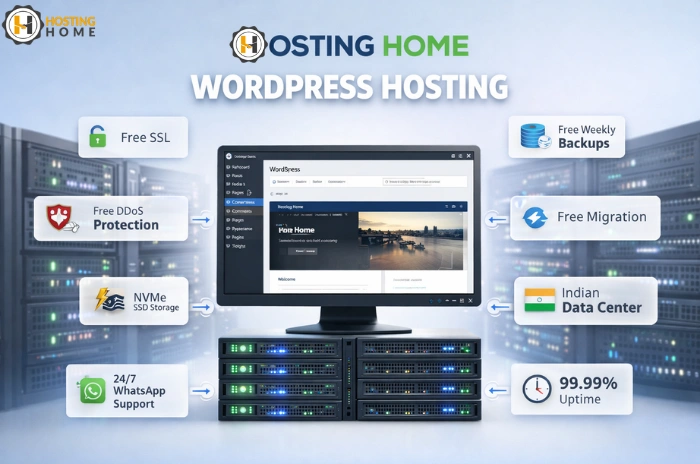
Hosting Home is a trusted best web hosting provider for WordPress, offering fast and secure WordPress hosting for blogs & business websites.
If you are Looking for the Best WordPress Hosting with reliable performance and support, Hosting Home provides the perfect solution for your website in 2026.