

How to Connect PostgreSQL in Java Hosting?
The connection of the database is one of the most important steps for creating a Java application. PostgreSQL is a powerful and popular database that works well with Java based websites and applications.
When you use java hosting, setting up PostgreSQL database server correctly, make sure smooth data handling, better performance and stability. Whether you are creating a web app or enterprise system, database connection plays a key role.
In this blog, we will explain you how to connect PostgreSQL in Java hosting step by step in simple way.
Why PostgreSQL is Used in Java Application
PostgreSQL is known for its reliability and performance. Many developers prefer it for Java applications as it supports complex queries and handles the large data efficiently.
In modern java web hosting setting, PostgreSQL is widely used for:
- Business applications
- Web portals
- Data-driven platforms
This is why many providers offering best java hosting India are providing support of integrating PostgreSQL.
Check the Database Access in Your Hosting Panel
Before you connect PostgreSQL, you must make sure that your hosting supports it.
Most java hosting services provide:
- Database creation options
- User management
- Connection details
If you are using java hosting in India, these are usually available in your hosting control panel.
Create PostgreSQL Database
The first step will be to create a database.
Steps:
- Log in to your hosting control panel
- Go to database section
- Select PostgreSQL
- Create a new database
- Set username and password
This process works with most java hosting plans, basic as well as advanced.
Add PostgreSQL JDBC Driver
In order to link Java to PostgreSQL, you need a JDBC driver.
The PostgreSQL JDBC driver is used in your java application to communicate with the database.
You can:
- Download the driver file
- Include it in your project library
This is needed for all best java web hosting setups.
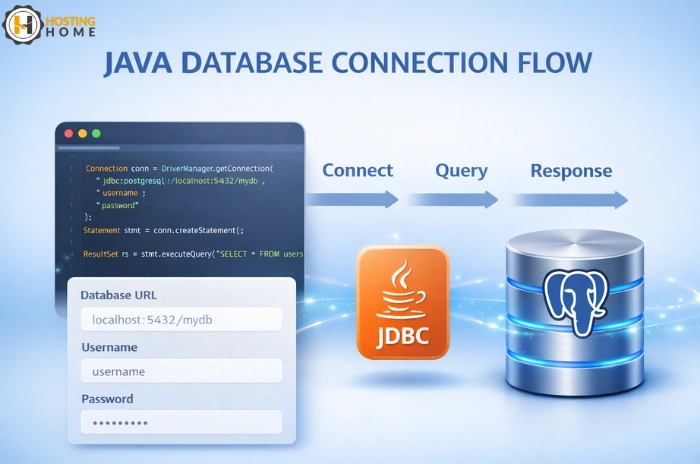
Write some Database Connection Code
After setting up the database and the driver, you need to write the connection code in Java.
Basic connecting information consists of:
- Database URL
- Username
- Password
Once connected, your application can save and read data easily.
This step is important for developers that work with hosting java applications.
Test the Database Connection
After writing the code always test the connection.
Check:
- Message of successful connection
- Inserting and Retrieving Data
- Error handling
Testing helps to ensure that your application works properly on your java hosting server.
Common Issues and Fixes
Sometimes, connection errors may occur.
Common problems include:
- Wrong database credentials
- Incorrect port number
- Missing JDBC driver
- Firewall restrictions
Even the users on cheap java hosting plans can face these issues but the issue can be fixed easily.
Security Tips for Connecting to the Database
Security of database is very important.
Follow these tips:
- Use strong passwords
- Limit database access
- Don’t leak credentials in code
- Use secure connections
These steps help to make any java hosting services environment safer.
Optimizing Database Performance
After Connection you should optimize your database.
Simple steps include:
- Use indexing
- Optimize queries
- Clean unused data
This helps in improving performance especially when using the best hosting for java web application.
Choosing the Right Java Hosting Provider
Your hosting provider plays a major role in the performance of your database.
A good java hosting provider should provide:
- Stable server environment
- Database support
- Fast performance
- Reliable support
Businesses compare options and look for the best java hosting with strong database compatibility.
Understanding java hosting price and features helps you to choose the correct one.
Why Choose Hosting Home for Java Hosting?
If you are planning to host Java applications, Hosting Home offers reliable and high-speed Java hosting services.
- High-speed java hosting infrastructure
- Affordable java hosting plans
- Optimized java web hosting environment
- Fully support for database integration
- Free SSL certificates
- Free weekly backups
- Free DDoS protection
- Free migration support
- 99.99% uptime guarantee
- Free 24/7 Dedicated WhatsApp support
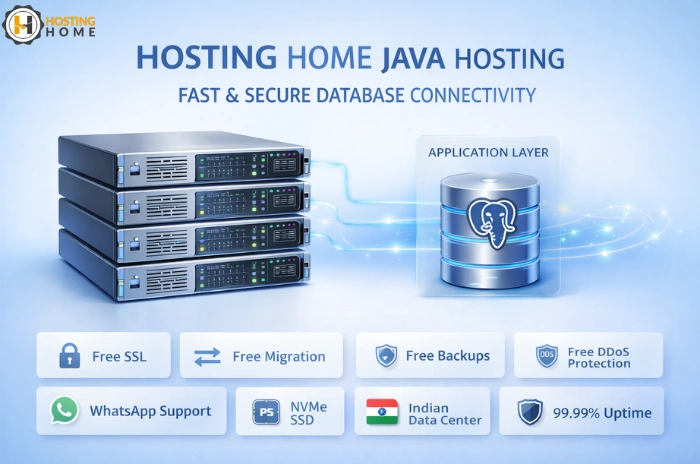
Hosting Home is a trusted java hosting provider offering reliable solutions for developers and businesses.
If you are looking for best java hosting India, Hosting Home provides performance, security and full support for your java applications in 2026.