
How to Protect WordPress Website from Malware?
Running a WordPress website is easy, but maintaining it secure is also equally important. Malware attacks can slow down your website, steal website of data, damage website’s rankings and even block visitors from accessing your website.
Many website owners focus only on design and content, but security should also be a priority. In fact, securing your website from malware is important whether you are using a personal blog or a business website that are hosted on WordPress hosting.
In this blog, we will look simple and practical steps to keep your WordPress website secure.
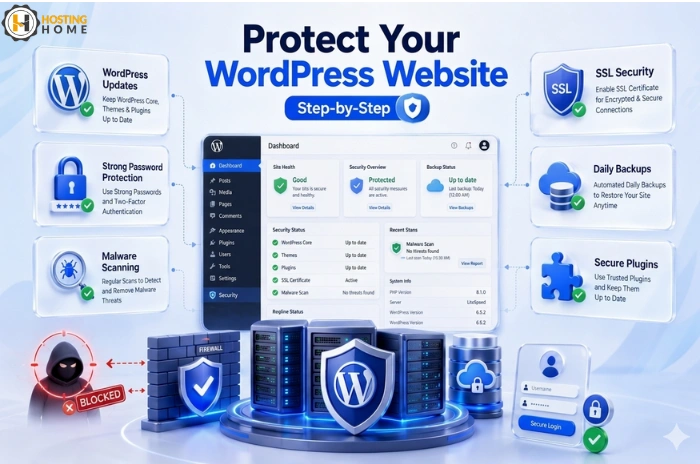
Keep WordPress Updated Regularly.
One of the most common reasons websites get infected is outdated software.
Always update:
- WordPress core
- Themes
- Plugins
Updates typically includes security patches that help to prevent attacks by malware.
Users using managed WordPress hosting often get automatic updates, which makes managing the website easier and safer.
Install Plugins from Trusted Sources Only.
Many malware attacks happen via unsafe plugins.
Before installing a plugin:
- Check reviews and ratings.
- Download only from trusted sources.
- Avoid cracked or nulled plugins.
Even website hosted on the best WordPress hosting platforms can become vulnerable if unsafe plugins are installed.
Use Strong Login Protection.
Weak passwords are easy targets of hackers.
You should:
- Use strong passwords
- Change login URLs
- Enable two-factor authentication
These minor changes can greatly improve the security of your WordPress website hosting environment.
Choose a Secure Hosting Environment
Your hosting provider plays a major role in website security.
A reliable WordPress web hosting provider should include:
- Firewall protection
- Malware scanning
- DDoS protection
- Backup systems
That is why many users prefer the best web hosting provider for WordPress rather than low-quality hosting services.
Enable Daily Backups
Backups helps you recover quickly if your website gets infected.
You should:
- Schedule automatic backups
- Store backups safely
- Test backup restoration regularly.
This important feature is included in many WordPress hosting plans.
Use Security Plugins for Monitoring.
Security plugins help detect any malware before it causes any serious damage.
They can:
- Scan files
- Monitor suspicious activity
- Block harmful login attempts
This is especially useful for websites running on cheap WordPress hosting, where extra protection may be required.
Protect File Permissions
Wrong file permissions can allow attackers to access your website files.
Recommended permissions:
- Files: 644
- Folders: 755
This basic step improves the security of your WordPress blog hosting setup.
Secure Your admin panel
Your WordPress admin area should always be protected.
Best practices include:
- Limiting login attempts
- Avoiding “admin” as username
- Logging-out from unused devices
The steps help to minimise unauthorised access attempts.
Install SSL Certificate for Websites Security.
SSL encrypts data between the visitor’s and your website.
Benefits include:
- Secure user data
- Better trust
- Improved SEO
Most providers providing the best WordPress hosting in India includes free SSL certificates.
Monitor Website Activity Regularly.
Many website owners find out about malware too late.
Regular monitoring will help you to:
- Detect unusual changes
- Find suspicious files
- Prevent bigger problems
This is important here for websites hosted on the fastest website hosting platform where uptimes matters.
Avoid Using Unused Themes and Plugins.
Security risks can be created by unused themes and plugins.
You should:
- Delete unwanted plugins
- Remove inactive themes
- Keep your website clean.
A simple website is easier to secure and maintain.
Why Hosting Quality Matters for Security?
Many security issues can be avoided with good hosting.
A good provider that provides WordPress hosting should include:
- Server-level protection
- Malware scanning
- Secure servers
- Reliable support
Users often compare WordPress hosting price, but don’t consider security features.
Why Choose Hosting Home for WordPress Hosting Services?
If you are looking for secure and reliable WordPress hosting, Hosting Home provides powerful hosting solutions that are fast and secure.
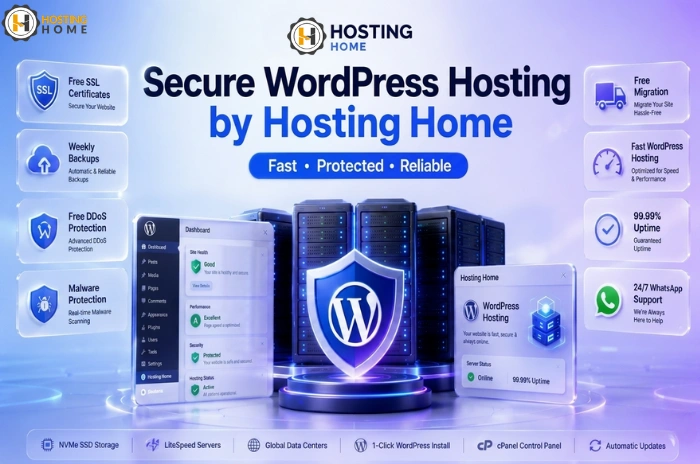
Hosting Home WordPress Hosting Features:
- High-speed WordPress hosting servers
- Cheap WordPress hosting plans
- Flexible WordPress hosting plans for all type of websites.
- Secure and optimized WordPress web hosting environment
- Fast servers for fastest WordPress hosting performance.
- Free SSL certificates
- Free weekly backups
- Free DDoS protection
- Free migration support
- 99.99% uptime guarantee
- Free 24/7 Dedicated WhatsApp support
Hosting Home is a trusted web hosting company offering the best WordPress hosting in India for blogs, business websites, and online stores.
If you are looking for secure and reliable WordPress website hosting, Hosting Home is the perfect platform for your website in 2026.