
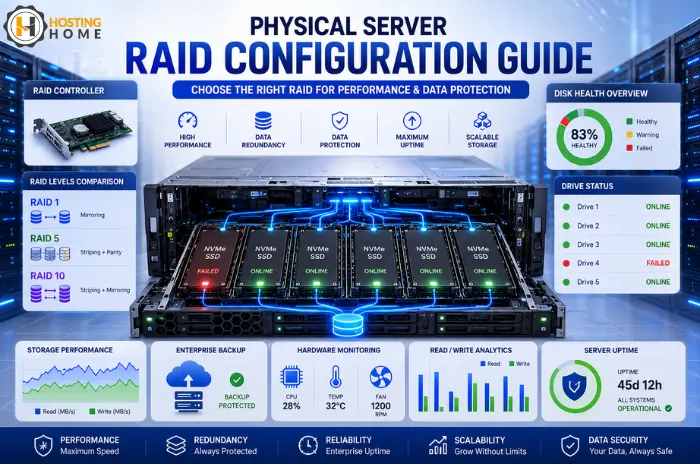
Physical Server RAID Configuration Guide
When buying a new server, most people will spend their time in deciding which processor, RAM, and storage space they need. However, one critical decision needs are often left until the end, that is the RAID configuration.
The RAID level you choose impact the speed, data protection, and recovery options of your server. Whether you need a physical server for a business application or hosting websites or storing business data, choosing the right RAID configuration can save you from unnecessary downtime and data loss.
Here, we’ll discuss how RAID works, and how to choose the right configuration.
Why is RAID important?
A server’s hard disk can fail at any time and without warning. If there is no RAID configuration, then recovering lost files can be difficult and expensive.
RAID (Redundant Array of Independent Disks) uses multiple drives in a server to provide improved performance or redundancy, or both.
It is commonly used in Physical server hosting because businesses expect their servers that host their websites or application to remain available even if a hard disks stops working.
Selecting the Right RAID Level
Every RAID level serves a different purpose.
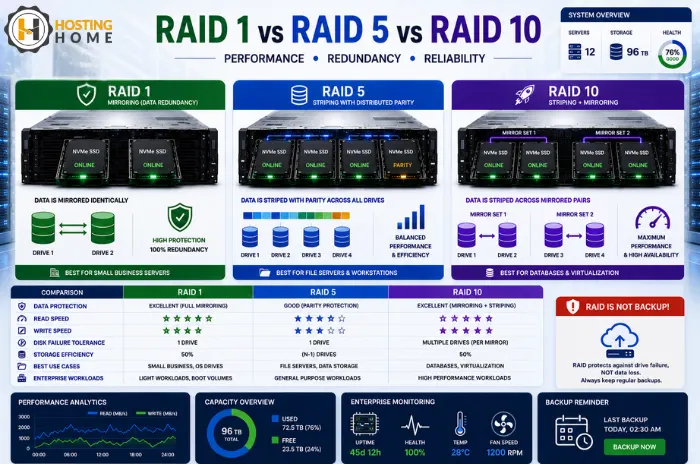
RAID 1-Data Protection
RAID 1 copies the exact data to two drives.
Best for:
- Business websites
- Small company servers
- Financial records
If one drive fails, the server continues running with the second drive.
RAID 5-Balance Between Performance and Protection
RAID 5 is configured with a minimum of three drives. It allows the perfect balance between data storage and redundancy.
Suitable for:
- File servers
- Office applications
- Medium-sized business workloads
Many companies using a Linux physical server opt for RAID 5 due to its good balance between storage capacity and data safety.
RAID 10-Quick Speed
RAID 10 combines striping and mirroring techniques.
It has:
- High-speed writing/reading
- More redundancy
- Quick recovery from disk failures
RAID 10 is ideal for database servers, virtualization and high-traffic hosting.
Real World Deployment Example
A software company has recently bought a bare metal physical server to host their ERP application.
The company was initially looking at using a single 2TB SSD to cut the cost. However, the system administrator suggested using four SSDs configured in RAID 10.
A few months later one of the SSDs failed without warning.
Because of the RAID configuration:
- Employees continued working without interruption.
- Not a single byte of business data was lost.
- The failed drive was replaced without shutting down the application.
This clearly shows that why RAID planning matters before the server goes live into production or publicly live.
RAID Is NOT a Backup!
The biggest misunderstanding people have is that RAID will cover their backups.
RAID protects against hard disk failure, but it cannot recover:
- Lost files
- Ransomware attacks
- Corrupted databases
- Human mistakes
Every physical server backup plan must include weekly or daily backups stored separately from the server itself.
Common RAID Configuration Errors:
Many administrators often make preventable mistakes during the initial setup of a server RAID configuration.
Common Mistakes are:
- Choosing RAID for only the storage capacity.
- Mixing different drives models.
- Ignoring RAID controller health alerts.
- Never testing backups recovery.
- Forgetting to monitor failed disks.
Fixing these mistakes early helps you from unexpected downtime later.
Administrator Tips
If you are setting up a physical server for business purposes, these simple practices are worth following:
- Use identical (SSDs or HDDs) for every RAID array.
- Have a spare drive available for quick replacement.
- Enable notifications on your RAID controller.
- Always check disk health regularly.
- Test backups restoration every few months.
Good maintenance practices are just as important as the initial physical server configuration.
Before Purchasing a Physical Server:
If you planning to buy a physical server, it’s not just about comparing processors and RAM.
Also, take into account:
- Quality of RAID controller
- Drive bays
- Future storage growth
- Backup plans
A slightly better hardware configuration today can reduce maintenance costs in the future.
Summary:
A good RAID setup improves the reliability as well as the performance of the server. It’s not just about picking the biggest disks available, but the right setup for your workload, storage requirements and recovery needs.
Proper RAID planning is worth your time and effort if you run a company website, business software or a virtualization platform. It will help protect your data and keep your server humming along smoothly, even when hardware fails.
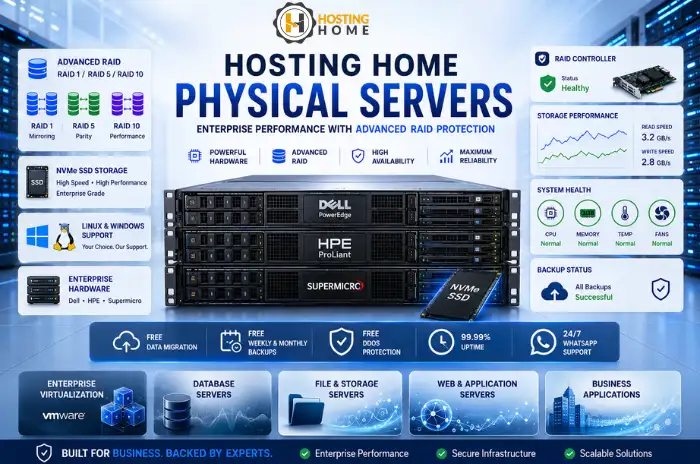
Physical Servers at Hosting Home.
Hosting Home offers high-reliability physical server solutions for businesses looking for reliable physical server with high performance. We have a wide selection of bare metal physical servers which come with a host of features such as:
- Affordable physical server solutions
- Enterprise grade hardware
- Windows or Linux server support
- Custom RAID configuration options
- SSD and NVMe storage choices
- Free data migration
- Free weekly/monthly backups included
- Free DDoS protection
- High uptime infrastructure
- High priority WhatsApp technical support
Whether you planning to host business applications, databases, virtualization platforms or heavy traffic websites, Hosting Home provides physical servers designed for security, performance and long-term reliability.