

How to Backup Data on a Physical Server?
Data is one of the most valuable assets of any business. Any company in which applications, websites or databases are running on a physical server must always be protected from hardware failure, cyber-attacks, or accidentally deleting data.
A proper physical server backup strategy is what ensures that your important information can be restored quickly if something goes wrong. Without regular backups, businesses will be at risk of losing files, customer data, and system configurations.
In this blog, we’ll tell you how to easily backup data on a physical server and keep your server safe.
Why Backups Are Important for Physical Servers
A bare metal physical server provides powerful hardware and resources that are dedicated to only one user, but like any machine, you can expect it to have issues. Hardware failure, software corruption, or human errors can result in unexpected data loss.
Regular backups help you:
- Recover files quickly
- Recover applications after crashes
- Protect the customer information
- Avoid lengthy business downtime
Businesses that runs critical services on a physical web server should always have reliable back-up systems.
Planning a Backup Strategy
Before making backups, it is important to plan how and where your data will be stored.
A good backup plan typically includes:
- Daily or weekly back up schedules
- Multiple backup locations
- Automatic backup tools
- Secure storage for back up files
The exact method depends on the physical server configuration as well as the type of applications that are running on the server.
Local Backup on the Server
The easiest form of backups is saving copies of files on local storage devices connected to the server.
This can include:
- Additional hard drives
- Network attached storage (NAS)
- External backup devices
Local backups are quick and easy to restore. However, they should not be the only method of backup because local storage can fail along with the server.
Remote Backup for Extra Security
Remote backups mean your backups copies of your data are stored in different location.
This method makes your data safe even if the server hardware becomes damaged. Many businesses that use physical server hosting combine local and remote backups for better protection.
Remote Backup Systems may include:
- Cloud storage
- Backup servers
- Remote data centers
This works to ensure that your data is always safe and accessible.
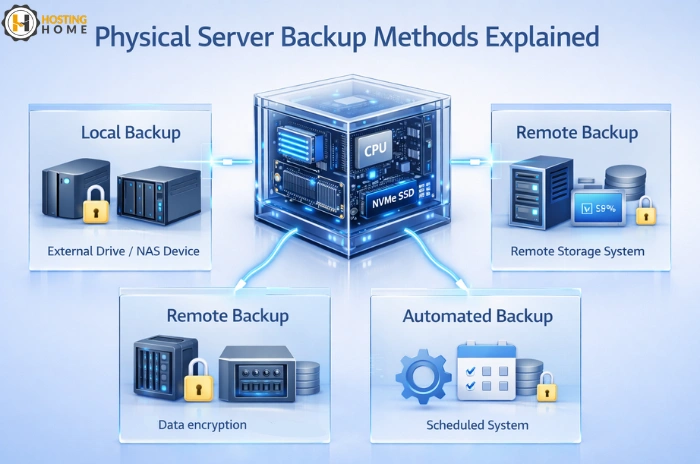
Automated Backup Tools
Manual backups can be time consuming and easy to forget. Automated backup tools help in scheduling backup regularly without any manual work.
These tools can:
- Automatically copy files
- Compress backup data
- Encrypt sensitive information
- Send backup reports
Automated tools are usually used in professional physical server setup environments.
Backup Testing and Monitoring
Creating backups is not sufficient. You must also test them to make sure you can restore the data properly.
Testing backups is a way to ensure that files are complete and usable. Businesses that buy physical server infrastructure often schedule regular back-up testing so that they do not experience any surprises in times of emergency.
Monitoring systems can also notify administrators when a backup process does not work.
Storage Considerations for Server Backups
Backup storage must be large enough to store several versions of your data.
When planning backup capacity, keep in mind:
- Database size
- Website files
- System configurations
- Application data
These factors also affect the physical server price, as servers with more storage capacity often cost more.
Businesses that are planning to buy a physical server must always consider backup storage considerations in advance.
When Businesses Upgrade Their Back-up Systems
As companies grows, their data volume expands. Businesses that buy physical server solutions frequently upgrade backup systems when:
- Website traffic increases
- Databases become larger
- More applications are added to server
A scalable backup strategy will guarantee that your system is protected as your infrastructure grows.
Why Choose Hosting Home for Physical Server Hosting
If your business needs a secure server infrastructure, then Hosting Home provides powerful and secure physical server solutions.
Hosting Home provides high-speed servers and strong network infrastructure for businesses that need dedicated hosting environments.
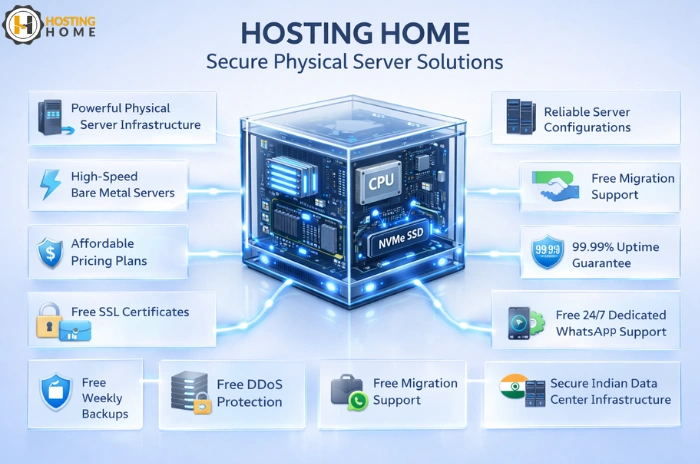
Features of Hosting Home Physical Server
- Powerful Physical Server Hosting Infrastructure
- High-speed bare metal physical servers
- Reliable physical server configurations for business applications
- Affordable physical server price plans
- Free SSL certificates
- Free weekly backups
- Free DDoS protection
- Free migration support
- 99.99% uptime guarantee
- Free 24/7 Dedicated WhatsApp support
- Secure Indian data centers infrastructure
If you are looking to buy physical server infrastructure to host your business applications, or to host your websites on a powerful physical web server, Hosting Home provides reliable & secure solutions.
If you are planning to buy a physical server in India, Hosting Home offers a strong performance, security and expert support for modern hosting needs.