

How to Setup A Record for Your Domain?
Setting up an A record is one of the most important steps when you are connecting your website to a server. If your website not opening after setting up the domain, in most cases it is related to DNS settings.
An A record helps your domain name point to the correct server IP address. Whether you are operating a business website or a personal blog, proper setup is important to ensure your site loads correctly.
In this blog, we will explain how to configure an A record in a simple and practical way.
What Does an A Record Really Do
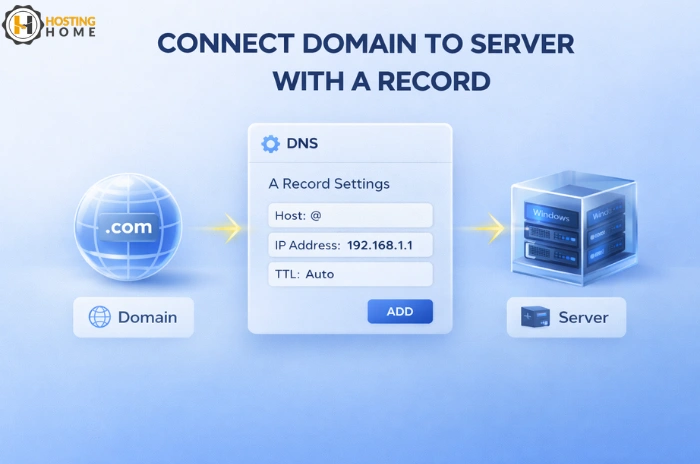
An A record connects your website domain with your server IP address.
When someone enters your domain in a browser:
- DNS record checks in the system
- Finds the A record
- Redirects the request to your server
This process is important for all the websites using Domain hosting services.
When You Need to Set an A Record
You need to update your A record in cases such as:
- After you buy domain name and connect it to hosting
- When you change your hosting provider
- When you are moving your website to a new server
- When using separate hosting and domain providers
Even if you get a free domain with hosting, you might need to do A record setup.
Get Your Server IP Address First
Before you make changes you need to have your server IP.
You can find it in:
- Hosting dashboard
- Welcome email from provider
- Server control panel
This IP is what your domain will point on.
Login to Domain DNS Settings
Then log in to your domain provider account.
After login:
- Go to DNS Management
- Find A record settings
This is an option that can be found in most of the platforms that offer domain registration services.
Add or Update the A Record
Now, you are ready to set up the A record.
Typical settings:
- Host/Name: @ (for main domain)
- IP Address: Your server IP
- TTL: Default value
Save the changes after filling in the details.
This process works whether you buy domain online or use any provider.
Configure A Record for Sub Domains
You can also create A records for subdomain.
Example:
- blog.yourdomain.com
- shop.yourdomain.com
Just enter the subdomain name in place of “@”.
This is useful in managing multiple website domain names under one account.
Wait for DNS Propagation
After saving changes, the update does not occur immediately.
DNS propagation can take:
- Few minutes
- Up to 24 hours
Your website is not going to load everywhere correctly during this time.
This delay is normal in all the domain hosting setups.
Check A Record Configuration
After some time, you need to check whether the A record is working.
You can:
- Open your website in browser
- Make use of online DNS checking tools
This makes sure that your domain name search and connection are set up properly.
Common Mistakes to Avoid
While setting up A records, don’t do the following:
- Entering wrong IP address
- Using incorrect host value
- Forgetting to save changes
- Editing wrong DNS zone
Even those who are choosing cheap domain plans may face problems if settings are wrong.
Managing Multiple Domains in Simple Way
If you manage multiple domains, then proper DNS management is important.
Businesses often manage:
- Multiple websites
- Client domains
- Expired domains
Keeping records organized helps in avoiding confusion and also helps in smooth operations.
Choosing the Right Domain Provider
A reliable provider makes DNS management easy.
When choosing a provider, check:
- Easy DNS control panel
- Fast update process
- Good support
Businesses comparing options often look for cheap domain deals along with good features.
Why Choose Hosting Home for Domain & Hosting services
If you are planning to buy domain and hosting together, Hosting Home provides reliable and affordable solutions.
Hosting Home Features:
- Easy domain registration process
- Affordable domain pricing
- Fast DNS management for your website domain
- Reliable hosting and domains solutions
- Free SSL certificates
- Free weekly backups
- Free DDoS protection
- Free migration support
- 99.99% uptime guarantee
- Free 24/7 Dedicated WhatsApp support
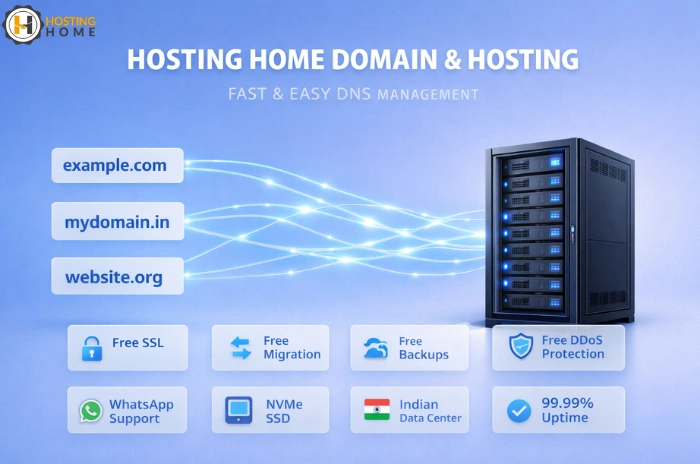
Hosting Home makes it easy to buy website domain, manage DNS and connect hosting without any hassle.
If you are looking for a smooth domain purchase experience with reliable hosting, Hosting Home is the right choice for your business in 2026.